
Using the Pat Winlink Client with IC-705
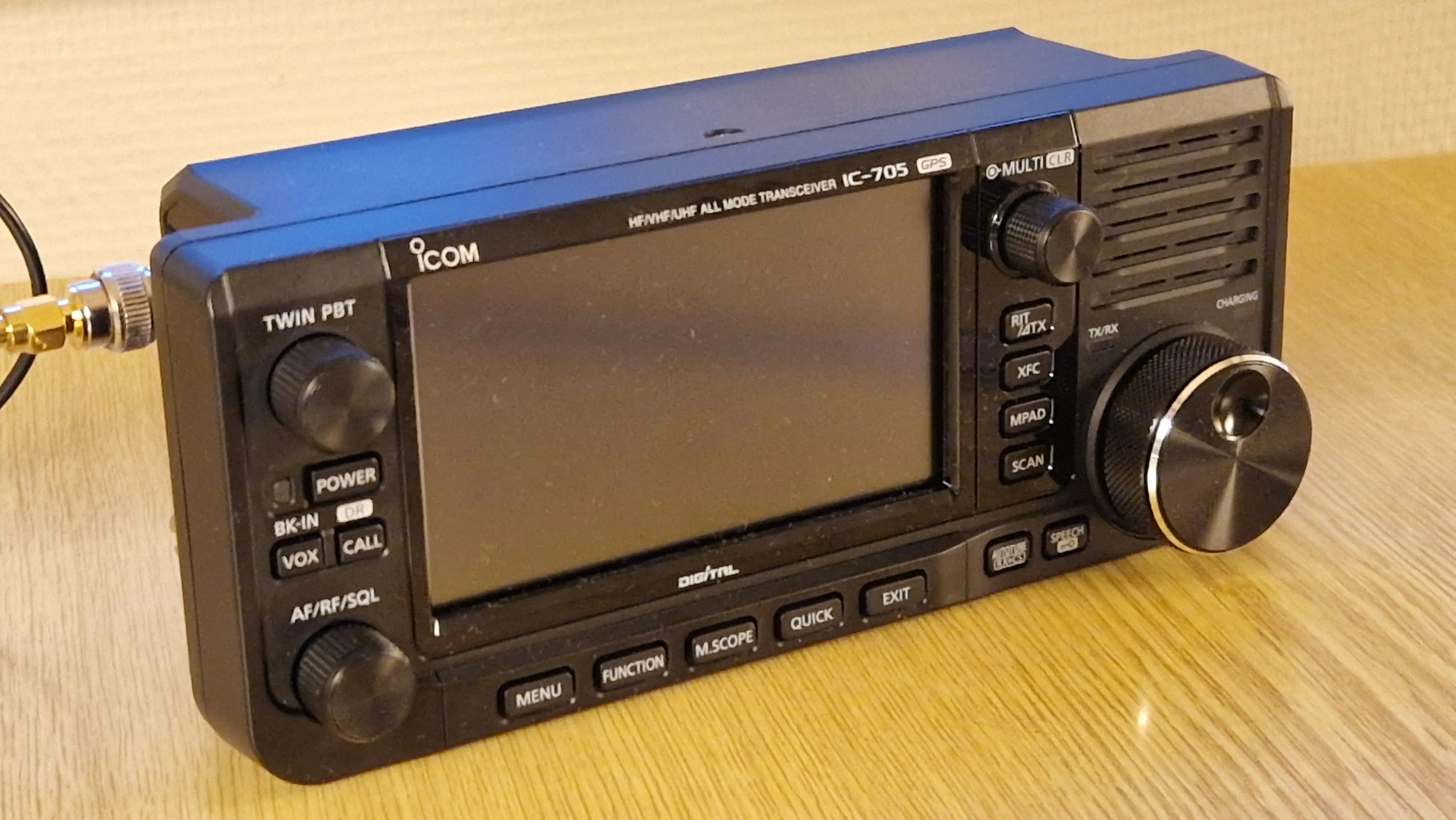
During Easter 2025 I took part in a Winlink exercise for Norwegian radio amateurs. In my last write-up about Winlink, I used the Yaesu 70D. Since then I have bought an ICOM IC-705 and that is the radio I have used for this exercise.
As of April 2025, the latest Pat Winlink Client is version 0.16.0, but in order to complete all tasks I had to use the develop branch from the GitHub repo since it has support for text forms.
Hardware and software setup
My setup is as follows:
- Lenovo Thinkpad X250 laptop running Fedora Linux 41.
- ICOM IC-705 connected to the laptop with a USB cable.
- I used a Diamond SRH 771 for 144/430 MHz antenna directly mounted to IC-705 via RC-2 BNC adapter.
The quality and shielding of the USB cable is of great importance in this setup. I had severe problems with this, and experienced that the USB connection dropped when the IC-705 started transmitting. In the kernel logs (dmesg) I could see messages like this:
usb usb2-port1: disabled by hub (EMI?), re-enabling...` or `usb 1-1-port2: Cannot enable. Maybe the USB cable is bad?
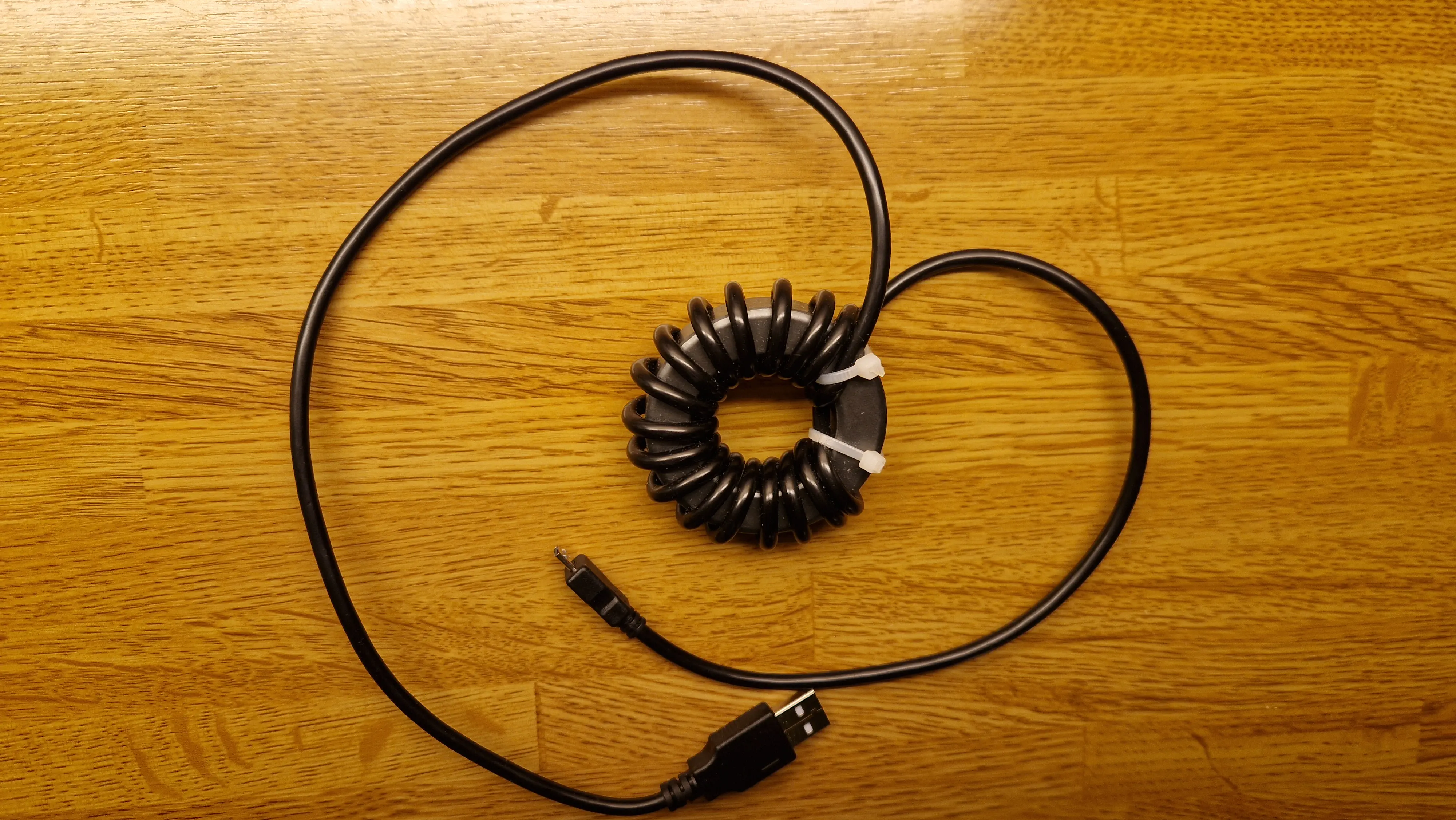
I bought a brand new USB cable and ferrite clamps which made it more stable, but what really worked was to lower the RF output power of the IC-705 to 10% (0.5 W). So this clearly shows that RF couples into the USB cable and messes up the USB interface on the laptop. After that I found an even better solution in the video “Let’s remove USB noise from our IC-705” by Temporarily Offline that uses a FT-240-43 toroid with the USB cable wound around the toroid as many times as you can fit.
Also, see this nice article about how to identify bad USB cables.
For the software I use rigctld, Direwolf and Pat Winlink Client.
Block diagram of how this is connected.
rigctld
Rigctld allows the other the two other applications (Direwolf and Pat) to control the IC-705. It starts a server that listens on port 4532 for connections.
This allows Pat to set frequency, and Direwolf to engage the PTT button.
I start Rigctld like this in a separate terminal:
rigctld -m 3085 -r /dev/ttyACM0 -s 19200
The options are as follows:
-m 3085the radio model number. 3085 is the model number for ICOM IC-705.-r /dev/ttyACM0the name of USB port connected to the radio.
Finding out the USB port names can be a challenge, but I usually check which devices I see starting with /dev/tty* before and after plugging in the USB cable.
Even nicer is to configure custom udev rules as described in this article. Then the two interfaces of ICOM-705 appears as /dev/ic-705a and /dev/ic-705b.
Direwolf
Not that much to say about Direwolf, except that I have configured it to use the Rigctld port 4532 for PTT:
PTT RIG 2 localhost:4532
Note that the model number must be 2 for use with Rigctld as it uses Hamlibs generic TCP backend. I tried with 3085 (the model number for IC-705), but that doesn’t work.
Here is the configuration for Direwolf (I have removed all comments):
ADEVICE plughw:2,0
CHANNEL 0
MYCALL LB2KK
MODEM 1200
PTT RIG 2 localhost:4532
AGWPORT 8000
KISSPORT 8001
IGTXLIMIT 6 10
Also, note that Direwolf listens on port 8000 for AGW. This is again used from Pat. From the Direwolf User Guide:
Dire Wolf provides a server function with the “AGW TCPIP Socket Interface” on default port 8000
Pat Winlink Client
Pat has to be configured to use both Direwolf and to connect to port 4532 where Rigctld is running.
The hamlib_rigs section configures a rig within Pat. In my configuration I have created a “ic_705” rig that again just points to Rigctld. Then the rig can be used in other parts of the config as in the ax25 section.
Also, notice the agwpe section that refers to the AGW TCPIP Socket Interface on port 8000 from Direwolf.
  "hamlib_rigs": {
    "ic_705": {"address": "localhost:4532", "network": "tcp"}
  },
  "ax25": {
    "engine": "agwpe",
    "beacon": {"every": 3600, "message": "Winlink P2P", "destination": "IDENT"},
    "rig": "ic_705",
    "ptt_ctrl": false
  },
  "ax25_linux": {
    "port": "wl2k"
  },
  "agwpe": {
    "addr": "localhost:8000",
    "radio_port": 0
  },
Script to start all software
As you see from above, there are three components that needs to be started. Instead of starting each of them in a separate terminal window, I asked ChatGPT about a script to handle this. I also configured the udev rules. This is what it came up with it:
#!/bin/bash

RIG_DEV="/dev/ic-705a"
pids=()  # Store child PIDs
procs=() # Store names for debugging (optional)

# Cleanup function for Ctrl-C
cleanup() {
    echo -e "\nCaught Ctrl-C, stopping processes..."
    for pid in "${pids[@]}"; do
        if kill -0 "$pid" 2>/dev/null; then
            echo "Killing PID $pid"
            kill "$pid"
        fi
    done
    wait
    echo "All processes stopped."
    exit 0
}

# Trap Ctrl-C
trap cleanup SIGINT

# Check for rig device
if [ ! -e "$RIG_DEV" ]; then
    echo "Error: $RIG_DEV not found!"
    exit 1
fi

# Start rigctld (silent)
echo "Starting rigctld on $RIG_DEV..."
rigctld -m 3085 -r "$RIG_DEV" > /dev/null 2>&1 &
pids+=($!)
procs+=("rigctld")

sleep 2

# Start direwolf and prefix output
echo "Starting direwolf..."
direwolf 2>&1 | while IFS= read -r line; do echo "D: $line"; done &
pids+=($!)
procs+=("direwolf")

# Start pat and prefix output
echo "Starting pat http..."
~/Code/pat/pat http 2>&1 | while IFS= read -r line; do echo "P: $line"; done &
pids+=($!)
procs+=("pat")

# Wait for background processes
wait